

Watch progress, supercharge decision making
Compare changes throughout time. Show the progress to the Owner, Executives, Trades. Document the in-walls: all information is preserved - even after the project is completed.

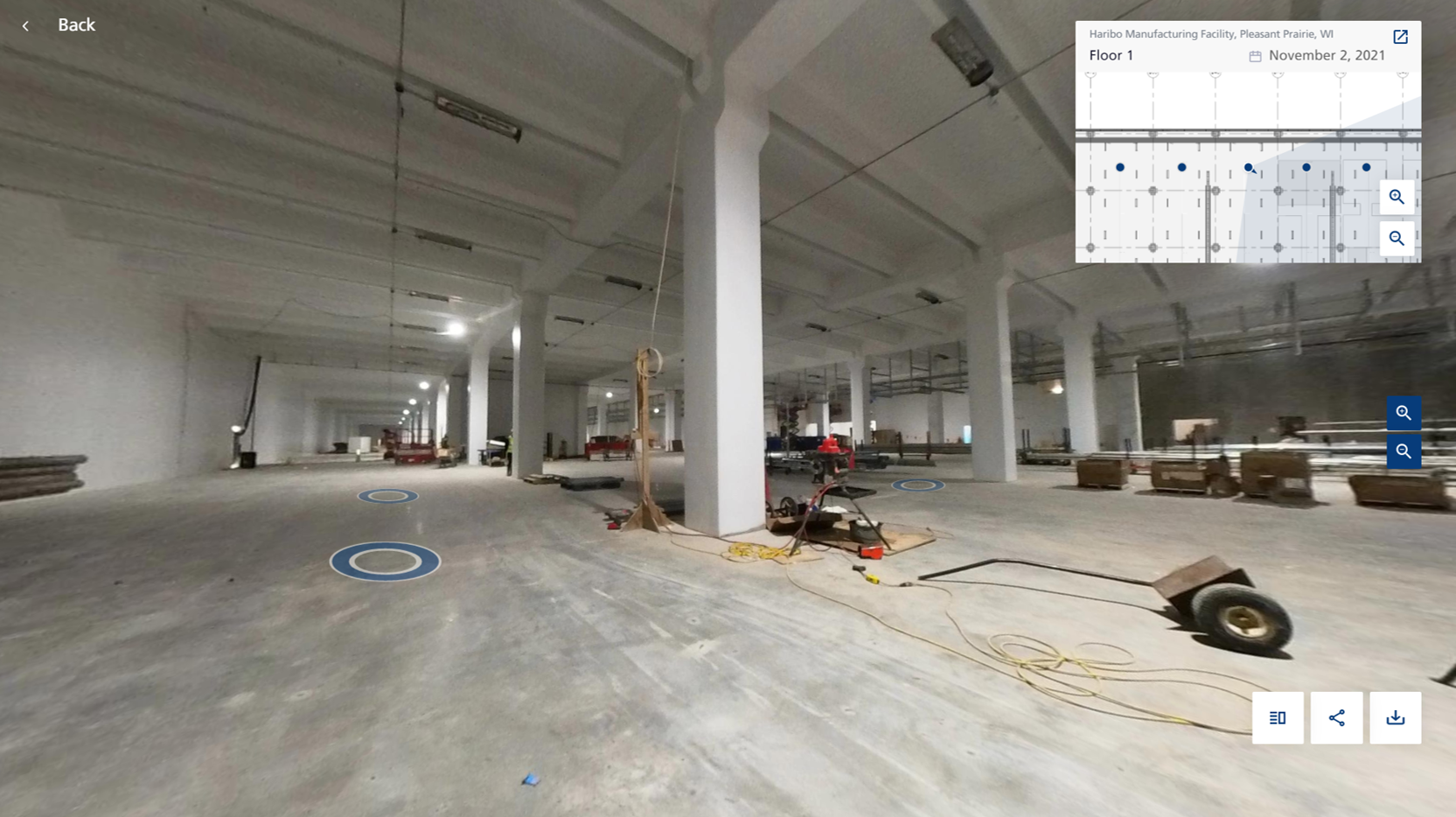
Immersive 3D Environment
Walk the site virtually. Navigate a site from the comfort of your desk. Zoom in on fine details at any point of the project.
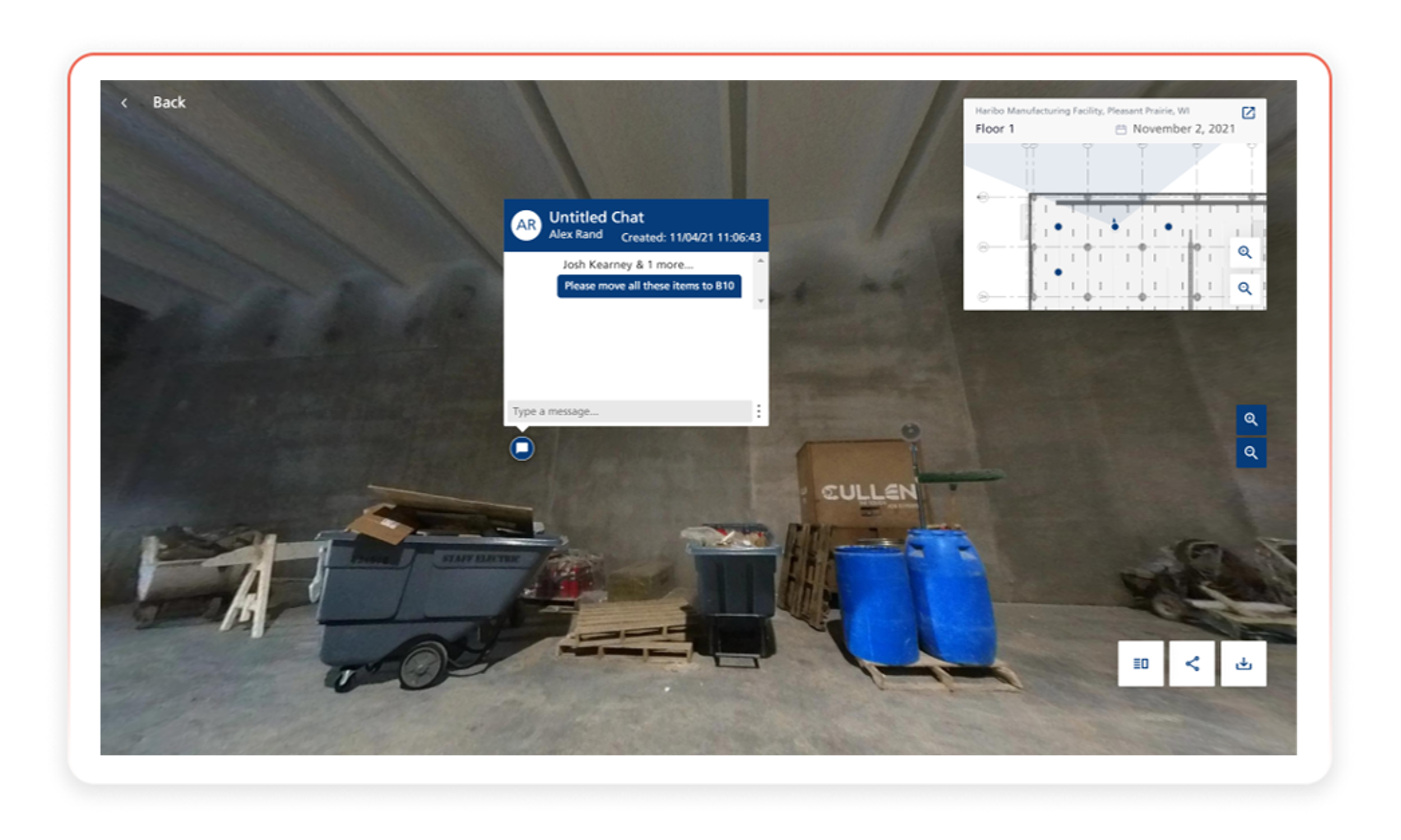
Teamwork
Open an RFI, connect to Procore, chat, tag, screenshot, or share anything you see while virtually walking the site.
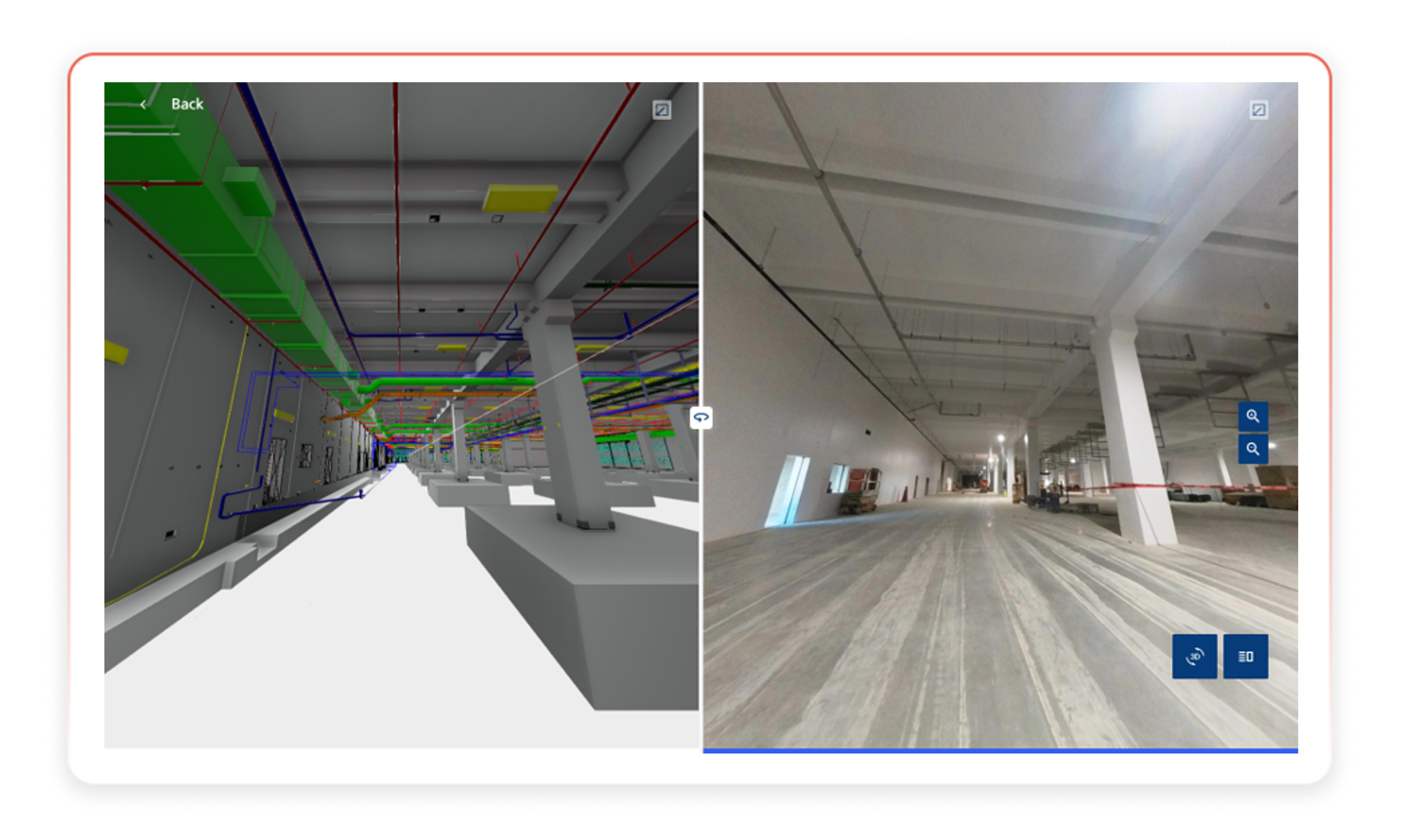
BIM Compare Tool
Double check placements and see what’s missing with BIM Compare. Didge seamlessly integrates with your powerful models.

“Didge” provides autonomous “eyes-on-site” 24/7 by obtaining detailed visual data at construction sites, creating a bridge to the field between design models, digital twins and plans, while also boosting transparency, monitoring safety, and expediting progress tracking.
— ERIC CUSHMAN, OPERATIONS MANAGER, GILBANE BUILDING CO.